Vendl vs Shopify: choose a shop that fits your bake days and markets
Published By Jono Farrington · 8 min read
Vendl is worth considering as a Shopify alternative in Australia if your main jobs are taking local pre-orders, organising collections and accepting payments at a stall. Shopify deserves a closer look if shipping, multiple sales channels and a broader ecommerce ecosystem are central to your business. For a home bakery or small local shop, the useful question is not which platform has more features, but which handles your normal selling week with fewer workarounds.
This is Vendl’s comparison, so we’ll be clear about the limits: the supplied research confirms Shopify’s broad platform capabilities, but not its current Australian plan prices or the configuration needed for each specialist workflow. We won’t label those features missing or claim Vendl is always cheaper.
Start with the work your shop needs to do
As of October 2026, Shopify’s Australian website describes a platform covering orders, inventory, shipping, retail, payments and checkout, with an app ecosystem and multi-channel selling. That breadth can be valuable when your business needs it.
For a very small operator, use this shorter decision test:
- Mostly weekly bakes and local pickup: test Vendl’s pre-order pages and Collections workflow first.
- Mostly walk-up market or unattended stand sales: test Vendl’s take-now QR checkout, then decide how online orders fit around it.
- Mostly shipped orders or several sales channels: put Shopify on your shortlist and test your actual shipping and channel requirements.
- A mixture: trace one order from each sales route through payment, stock and handover before committing.
A few products do not automatically make Shopify overkill. Equally, needing an online shop does not mean you need every part of a broad ecommerce stack. Setup effort is best judged by completing those jobs, not by comparing homepage promises.
Separate take-now checkout from preorder-and-pickup
A customer buying the last jar on your market table is doing something different from someone reserving six buns for next Saturday. Your setup should make that distinction obvious.
| Selling job | How Vendl handles it | What to test in Shopify |
|---|---|---|
| Buy something available now | QR stall checkout or website cart, with supported payment methods. | The customer’s route from your market table to a completed payment. |
| Reserve a future batch | A multi-product pre-order page with an order deadline and collection or delivery time. | Deadline handling, payment timing and any extra setup required. |
| Hand over paid orders | Collections provides a make list, packing workflow and Ready / Collected statuses. | How you produce a make list and track individual pickups. |
| Sell a recurring box | A subscription offer with paid cycles appearing in Collections. | Recurring billing, customer controls and fulfilment requirements. |
Vendl’s QR stall checkout lets shoppers pay for take-now purchases without requiring you to operate a terminal for that checkout. Cash and PayID are also supported in Australia. This is a payment route, not a guarantee against theft or a substitute for checking physical stock.
Pre-orders use a different flow: buyers pay by card through connected Stripe or Square to reserve their order. Take-now items and pre-order items cannot share one checkout in Vendl, and different collection days require separate checkouts. That separation is useful for clear handover dates, but matters if you want customers to combine everything into one basket.
Build one bake day before building a large catalogue
The most useful setup test for a home bakery is one real production cycle. Vendl’s pre-order pages bring several products onto one sheet with a shared order window and collection or delivery time.
- Connect payments. Stripe or Square must be connected before a pre-order page can go live.
- Prepare the products. Mark the relevant catalogue items as available for pre-order pages.
- Create the sheet. Set the order deadline, collection or delivery time, handover method and any directions.
- Choose payment timing. Use payment in full or a deposit with the balance due on handover.
- Test the public link. Check the order and buyer confirmation before sharing the page’s link or its own QR code.
- Use Collections on production day. Review what to make, pack by customer, then mark orders Ready and Collected.
Hypothetical example: a baker offers three products for Saturday collection and closes orders on Thursday evening. The preorder sheet carries the shared collection details; Collections supplies the make and packing lists. Leftover products sold at the Saturday market use the separate take-now checkout.
Test your capacity limits too. Check what happens when the last available item is ordered, and whether the public availability matches what you can make. Do not assume a product’s stock count represents oven capacity, ingredient availability or a separate limit for every flavour.
For a busier seasonal version of this workflow, see the guide to organising bake orders by payment, production and pickup day.
Keep a small catalogue manageable across selling days
Vendl’s online shop supports product categories, so buyers can browse groups such as bread, sweets or pantry goods. You can choose product and category order rather than leaving a small catalogue arranged at random.
Behind the shop, the inventory report shows product stock levels, status and sale rate, with spreadsheet export. Stock counts let you compare the physical shelf with Vendl and correct differences. Sale, low-stock and sold-out alerts are also available.
There are details worth testing before you load the whole range:
- Options use shared stock. Vendl supports choices such as size or flavour, with up to three option groups per product. Do not assume each choice has its own independent stock pool.
- Some pricing choices are alternatives. Volume pricing, such as a fixed total for two items, is not available together with product options.
- A market reader creates another stock route. If you already use Square, Vendl’s Square sync can link products and keep stock counts matching both ways.
For either platform, test one online sale, one market sale and one stock correction. Also ask what order and customer information you can export. The supplied research does not establish a full customer-data portability comparison, so do not assume the two platforms offer identical exports.
Recurring boxes need a packing workflow, not just repeat billing
A weekly bread bag or fortnightly produce box creates two jobs: collecting the next payment and knowing what to pack. Vendl supports weekly, fortnightly and monthly shopper subscriptions on Free and Pro.
With the documented Stripe workflow, each successful cycle creates a paid Collections order, reduces stock and emails the seller and shopper. Subscription cycles have their own groups rather than being mixed into a one-off preorder sheet. Shoppers receive a manage link to skip, pause, resume, update their card or cancel.
Subscriptions use card payments, not cash or PayID. They also have their own enrolment link, separate from take-now checkout and one-off preorder pages. Square-backed recurring subscriptions are supported in Australia too.
This makes Vendl worth testing if recurring boxes are a core part of your week. The supplied Shopify research does not confirm the equivalent subscription setup or its cost, so request a complete configuration rather than assuming it requires either no extras or many extras. Our weekly produce and bake box guide explores the Vendl workflow further.
Compare the whole monthly bill, not just the plan price
A fair comparison includes the platform subscription, platform transaction fees, payment processing and any extras your chosen workflow needs. Shopify’s current Australian prices were not confirmed in the supplied research, so there is no defensible cheapest-platform verdict here.
The Vendl figures below are its supplied AUD list prices as of 20 October 2026. Confirm GST treatment and the processing rate applicable to your account before budgeting.
| Cost component | Vendl Free | Vendl Pro |
|---|---|---|
| Monthly platform list price | A$0 | A$19.99 |
| Vendl fee on card, wallet and pay-later payments | 2.5% | No Vendl transaction fee |
| Payment processing | Charged separately by the provider | Charged separately by the provider |
| Vendl fee on cash and local bank payments | None | None |
Both Vendl plans include all features. Pro changes the fee structure rather than unlocking the pre-order or subscription tools. Sales taken directly on your own Square reader or Square POS do not carry a Vendl fee.
Hypothetical monthly example: suppose you take 100 domestic-card orders of A$20 through Vendl, totalling A$2,000. Using the supplied Stripe standard online domestic-card rate of 1.7% + A$0.30, processing would be A$2,000 × 1.7% + 100 × A$0.30 = A$64.
- Free: A$64 processing + A$2,000 × 2.5% = A$114.
- Pro: A$64 processing + A$19.99 monthly list price = A$83.99.
These are illustrative platform-plus-processing totals using the stated inputs, not tax-inclusive quotes. They exclude other charges and assume every order uses that domestic-card rate. Using the monthly list price alone, Pro’s fee saving overtakes its subscription at A$19.99 ÷ 0.025 = A$799.60 in monthly payments subject to the Vendl fee. Cash and PayID sales do not belong in that calculation.
For Shopify, obtain the current Australian plan price, billing commitment, applicable payment rates and any workflow-specific costs. Run the same order count and sales value through both quotes.
Check the Australian details before opening orders
Food permissions come before checkout. Australia-wide, FSANZ’s home-based food business guidance says home businesses must meet the same food safety requirements as other food businesses, regardless of size or selling frequency, and must notify their local food regulator, usually the council, before starting. Confirm your product, premises and market arrangements with your local council and relevant state food authority.
Keep GST separate from the platform decision. Check your registration position and the treatment of your products with the ATO or an accountant. This comparison does not establish a GST threshold or a blanket rule for baked goods.
Delivery is not the same as a shipping system. Vendl’s preorder pages can collect a delivery address and carry delivery timing notes. The supplied documentation does not establish carrier rates, postage-label purchasing or a complete shipping integration workflow. If those are essential, verify them before choosing; Shopify’s broader shipping positioning makes it worth investigating for that use case.
Choose after one complete selling-cycle test
For a local-first seller, start small: a shop with a few products, one preorder sheet and a take-now QR checkout. In Vendl these sit in one account, while retaining their separate checkout flows. Complete a test purchase, find the resulting order, check stock and practise the handover.
Then judge the result against your real constraints: time spent preparing the shop, clarity for buyers, confidence in the make list and the total cost at your sales volume. Choose Shopify if its broader capabilities solve needs you actually have. Choose Vendl if its local selling workflows cover the week without adding unnecessary administration.
To try that local-first setup, create a Vendl account and test your shop, preorder sheet and QR checkout.
Frequently asked questions
- Do I need a separate website before trying Vendl?
- No. Vendl includes an online shop, and pre-order pages have their own public links and QR codes. You can test a selling cycle before deciding whether you also need a separate website.
- Can I keep a preorder range off my main Vendl shop?
- Yes. A pre-order page has a Hide on business page option for keeping those products off the main stall catalogue and business QR. Buyers use that preorder page’s own link or QR instead.
- Can I email everyone collecting on the same day?
- Yes. Vendl supports messaging one buyer or everyone on a collection day from Orders and Collections, with the subject and message composed in Vendl.
- Does turning off a subscription offer stop existing recurring payments?
- No. In the documented Stripe subscription workflow, turning off Offer is live stops new enrolments. Existing subscribers continue billing until they cancel, so closing an offer is not the same as ending existing subscriptions.
- Can I connect both Stripe and Square to Vendl?
- Yes. You can connect both and choose the provider for everyday product and pre-order checkout, including deposits. Square support is currently for Australia, and Square subscriptions require enabling that option in Square settings.
Get new guides by email
Practical guides for stall, market and home-food sellers. No spam, unsubscribe any time.
Keep reading

Organise Christmas bake orders by payment, production and pickup day
A manageable Christmas bake starts with a small menu and clear limits. Set up separate collection days, choose payment terms and turn confirmed orders into production and packing lists.
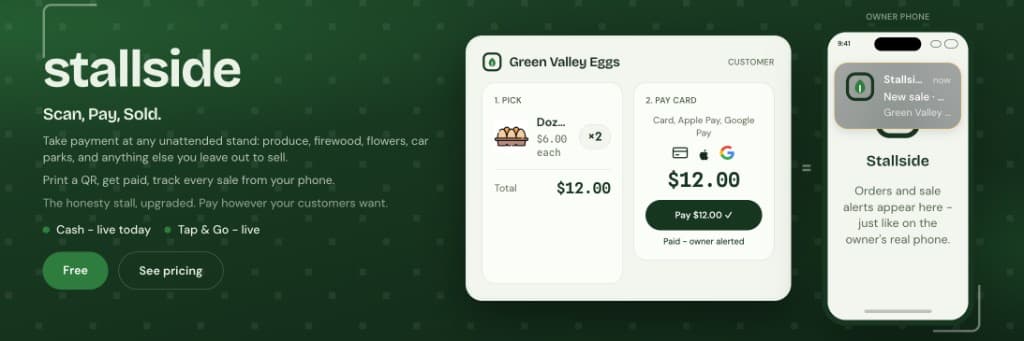
Vendl vs Bakesy: Which Is Better for Unattended Payments, Pre-Orders and Inventory?
A workflow-based comparison for stand holders, roadside sellers and home bakers choosing between unattended QR checkout and bakery order software.
Run a weekly produce or bake box without chasing repeat orders
A recurring box needs more than a regular customer list. Plan the contents, charging cycle and pickup routine so each paid order moves straight into production and packing.